 Snap & Swipe
Storage full? Clean up your photos with a swipe.
Swipe right to keep, left to delete. Duplicates are found automatically.

Free download: 50 photos and 10 groups a day, more with Pro. No account, no upload. iOS 17 or later.

How it works
-
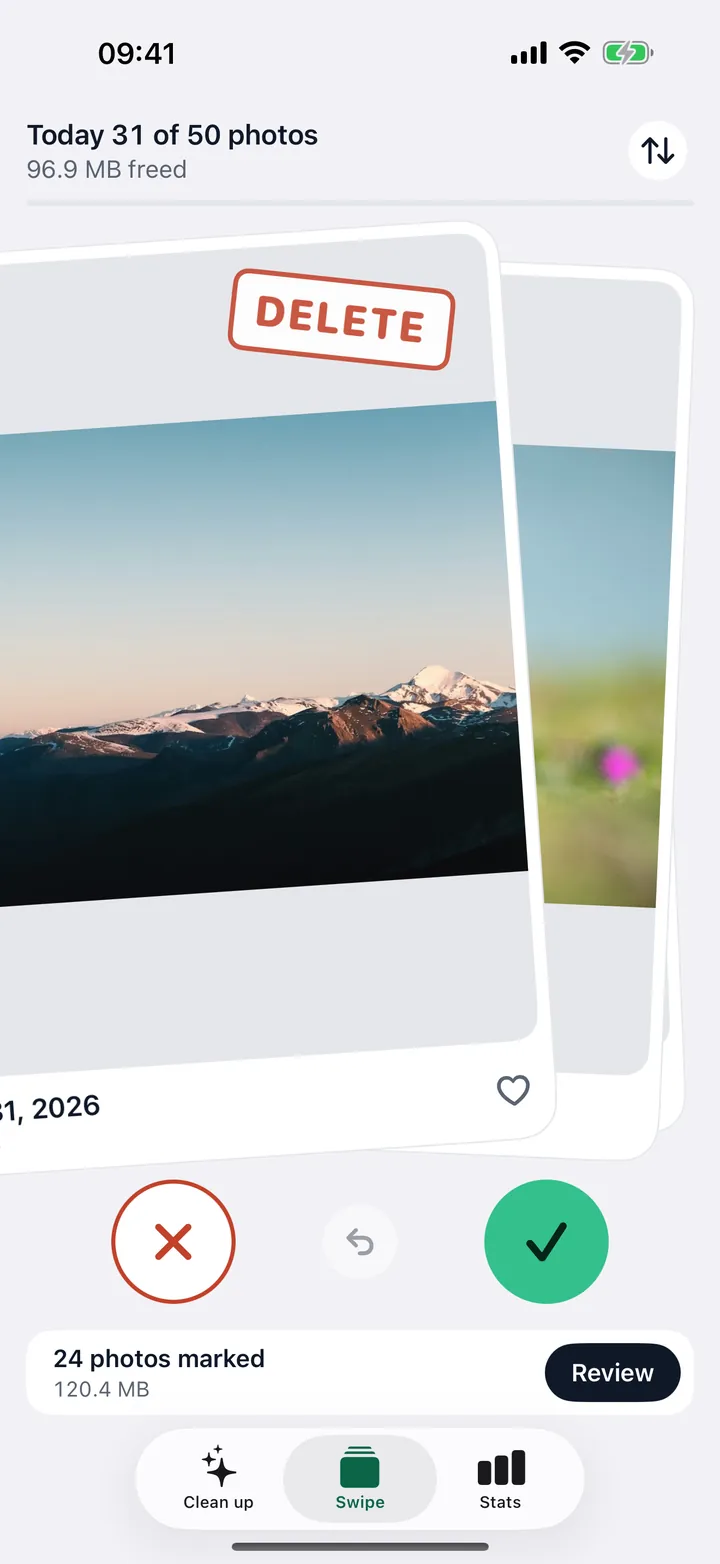
Swipe: right stays, left goes
In Snap & Swipe you swipe each photo right to keep it or left to mark it for deletion, and nothing is deleted until you confirm at the end.
One tap undoes the last decision. Newest first, oldest first or random.
Example from a test library -
Find duplicates automatically
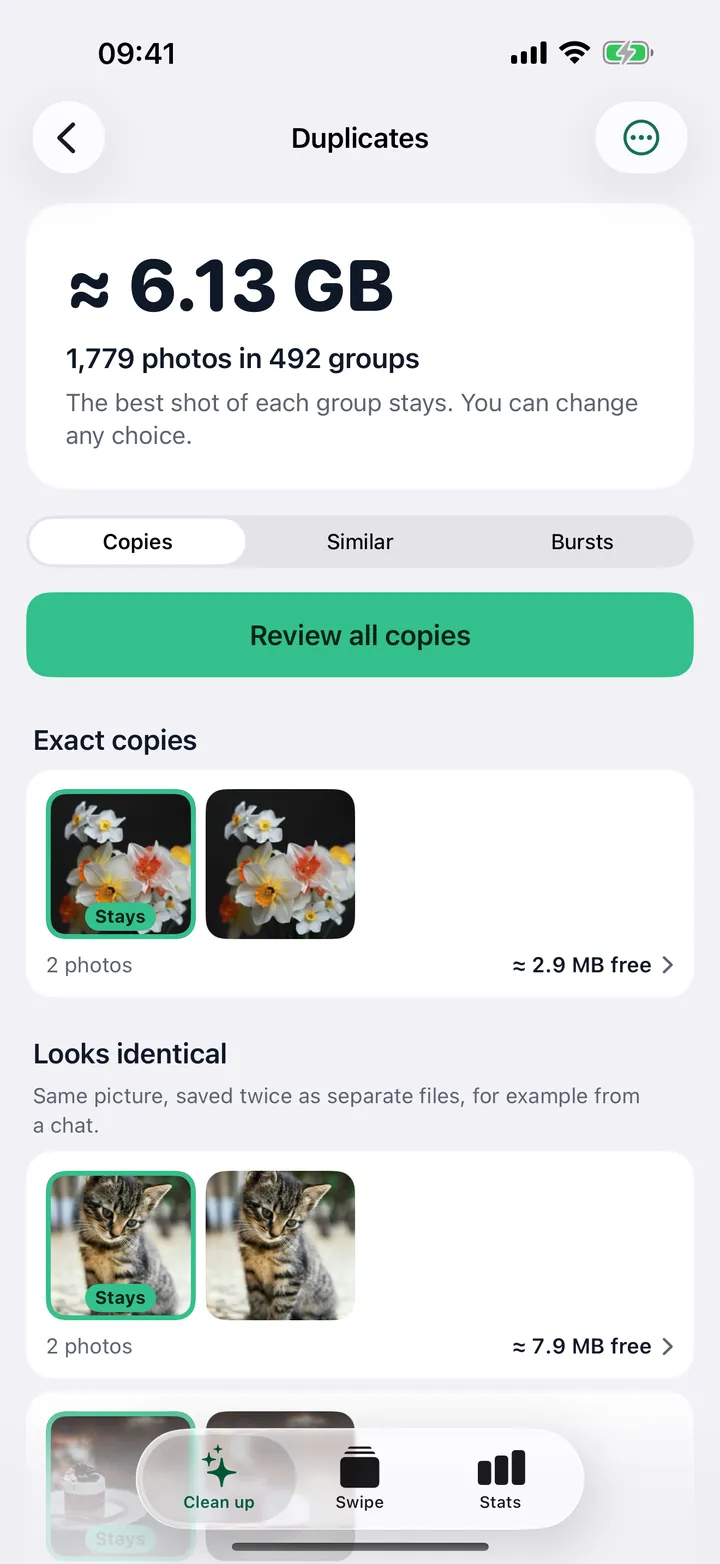
Snap & Swipe finds exact copies, similar photos and burst shots on your iPhone, marks the best shot in each group to keep and puts the rest on a review list.
The first scan reads the whole library; from the second scan on, it only takes seconds.
Example from a test library -
Check everything before deleting
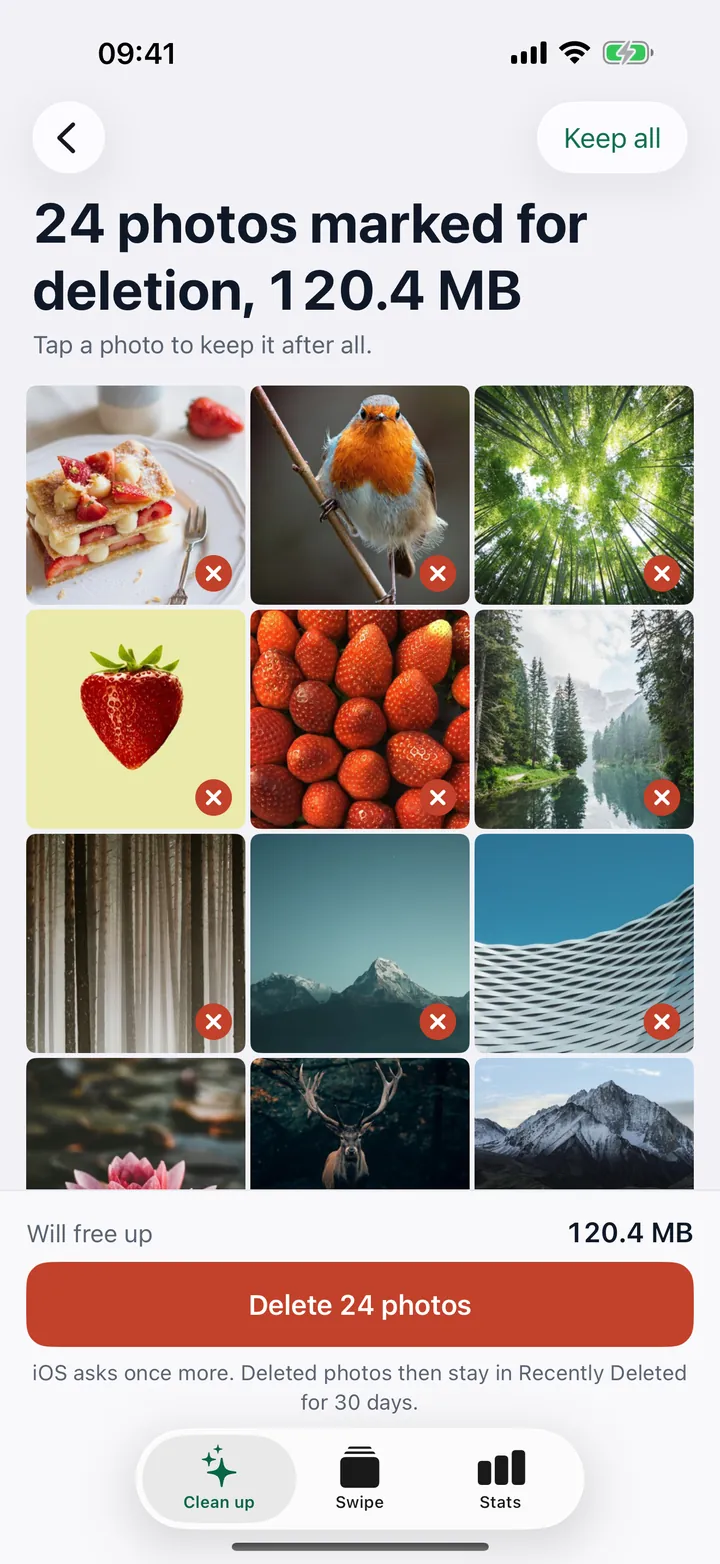
Everything you mark goes onto a review list first; only after you confirm there and iOS asks once more is it deleted, and deleted photos then stay in Recently Deleted for 30 days.
One tap on a photo in the review list keeps it after all.
Example from a test library


Does Snap & Swipe upload my photos?
No: Snap & Swipe has no server and no account, and all analysis happens on your iPhone.
- No account
- No upload
- No tracking
- No usage analytics
If originals are stored in iCloud, iOS fetches them from your own iCloud when needed. Purchases are handled by Apple.
What is free, and what does Pro cost?
Free: 50 photos to swipe and 10 duplicate groups a day, limits reset at midnight; Pro costs €0.99 a week, €2.99 a month, €9.99 a year or €14.99 once in the German App Store.
Free download
- 50 photos a day to swipe
- 10 groups a day to clean up: copies, “Looks identical”, bursts
- Similar photos: found and counted, with the space they take
- Large videos: the list with their sizes
- Stats with month rings
Pro
- Unlimited swiping and duplicate cleanup
- Open and delete similar photos
- Delete large videos and duplicate videos
- Yearly€9.99 / year€0.83 a month, 72% less than monthly
- One-time purchase€14.99No subscription. One payment, nothing renews.
- Monthly€2.99 / month
- Weekly€0.99 / week
Prices in the German App Store. Your App Store shows the price in your local currency. Subscriptions renew automatically and can be canceled anytime in the iOS Settings.
Ready to clean up?
More about the app
Fact sheet
- What it does
- Snap & Swipe cleans up the photo library on your iPhone: swipe to keep or delete photos, and find duplicates, similar photos, bursts, large videos and screenshots.
- Platform
- iPhone, iOS 17 or later
- Price
- Free download, 50 photos and 10 duplicate groups a day free. Pro as a subscription (weekly, monthly, yearly) or one-time purchase, prices in your local currency in the App Store
- Privacy
- Everything stays on the device, no account, no tracking
- Languages
- 5: English, German, French, Italian, Spanish
- Developer
- Tobias Paltz, Saarbrücken, Germany
- Category
- Photo & Video
- Last updated
How do I find large videos and screenshots on iPhone?
Snap & Swipe lists every video over 100 MB with its size and gives screenshots a stack of their own to swipe through.
The app’s home screen shows how much space you can free in total, split into duplicates, similar photos, videos and screenshots. The video list is free; deleting videos is part of Pro.
What does the stats screen show?
The stats screen shows how much space you have freed (in total and this week), how many photos you have reviewed, kept and deleted, and one ring per month for every year.
A solid green ring means the month is fully reviewed. Tap a month to keep swiping there.

How is Snap & Swipe different from the “Duplicates” album in the Photos app?
The “Duplicates” album in the Photos app finds identical photos and videos and merges them; Snap & Swipe also finds similar photos and bursts, lists videos over 100 MB by size and lets you go through the whole library by swiping.
If you only want to remove identical copies, you do not need an extra app for that. The table compares what each one does.
| Photos app, “Duplicates” album | Snap & Swipe | |
|---|---|---|
| Identical photos and videos | Yes, also with a different resolution or file format | Yes, exact copies and “Looks identical” |
| Similar photos (several shots of the same subject) | No | Yes, cleanup with Pro |
| Burst shots | Album of their own, pick favorites per burst | One group per burst, best shot marked |
| Large videos | No sorting by size | List of all videos over 100 MB with their size, deleting with Pro |
| Going through the library by swiping | No | Yes, 50 photos a day free |
| Recovering deleted items | 30 days in Recently Deleted | 30 days in Recently Deleted |
| Cost | Part of iOS | Free download with a daily allowance, Pro as a subscription or one-time purchase |
The “Duplicates” album has been available since iOS 16. How to use it: Delete duplicate photos on iPhone.
Which languages is Snap & Swipe available in?
In 5 languages: English, German, French, Italian and Spanish.
The app follows your system language, or you pick one of the 5 in its settings.
More questions
How do I cancel?
In the iOS Settings: tap your name at the top, then Subscriptions, and pick Snap & Swipe. In the app, Settings → Manage Subscription takes you there. The one-time purchase does not renew, so there is nothing to cancel.
What are bursts?
In a burst the camera takes many photos in quick succession. Snap & Swipe shows every burst as a group. The best shot is marked “Stays”, and you can delete the rest in one step. You can change any choice.
Why does iOS ask again?
Apps may only delete photos after you confirm it in a dialog from iOS. Snap & Swipe cannot skip that, and no other app can. After that the photos stay in Recently Deleted for 30 days.
Can I use Pro on a new iPhone?
Yes, with the same Apple ID. In the app, Settings → Restore Purchases brings your purchase back.
Who is behind Snap & Swipe?
Snap & Swipe is developed by Tobias Paltz in Saarbrücken, Germany, and sold through his sole proprietorship ToPaSells.
Guides
What iOS can already do on its own, step by step.
- iPhone storage full: what actually helpsWhere the space goes and how to get it back with what iOS already has.
- Delete duplicate photos on iPhoneThe “Duplicates” album in Photos, burst shots and similar pictures.
- Clean up screenshots on iPhoneAll screenshots in one place, and how new ones stop piling up.
Last updated:
Snap & Swipe50 photos a day free