 Travault
Your passport safe. Your day planned.
Tickets and passports encrypted on your iPhone, ideas for today that fit your mood and the weather, costs split with everyone.
Coming soon to the App Store
Free with 2 trips and 5 documents. For iPhone, iOS 16 or later.


How it works
-
Passport and tickets into the vault
Photograph your documents or pick them from your photos. Travault encrypts them with AES-256 on your iPhone, and only you can open them with your PIN or Face ID. Travault uploads them to no server.
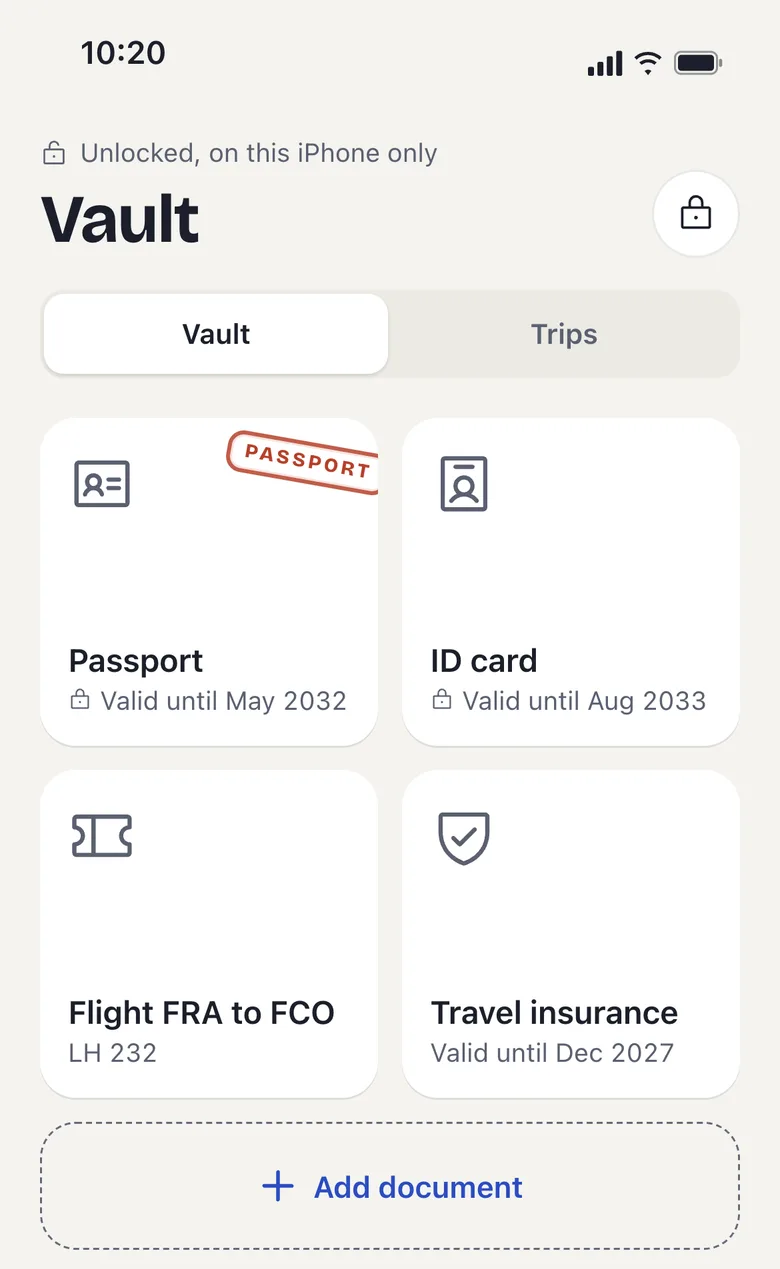
Example with test data -
What are you in the mood for today?
Pick Relaxed, Active or Surprise me. Travault suggests four things that fit the time of day and the weather, near you if you like, with duration, price level and a tip. Tap “Add to plan” and it is in your day.
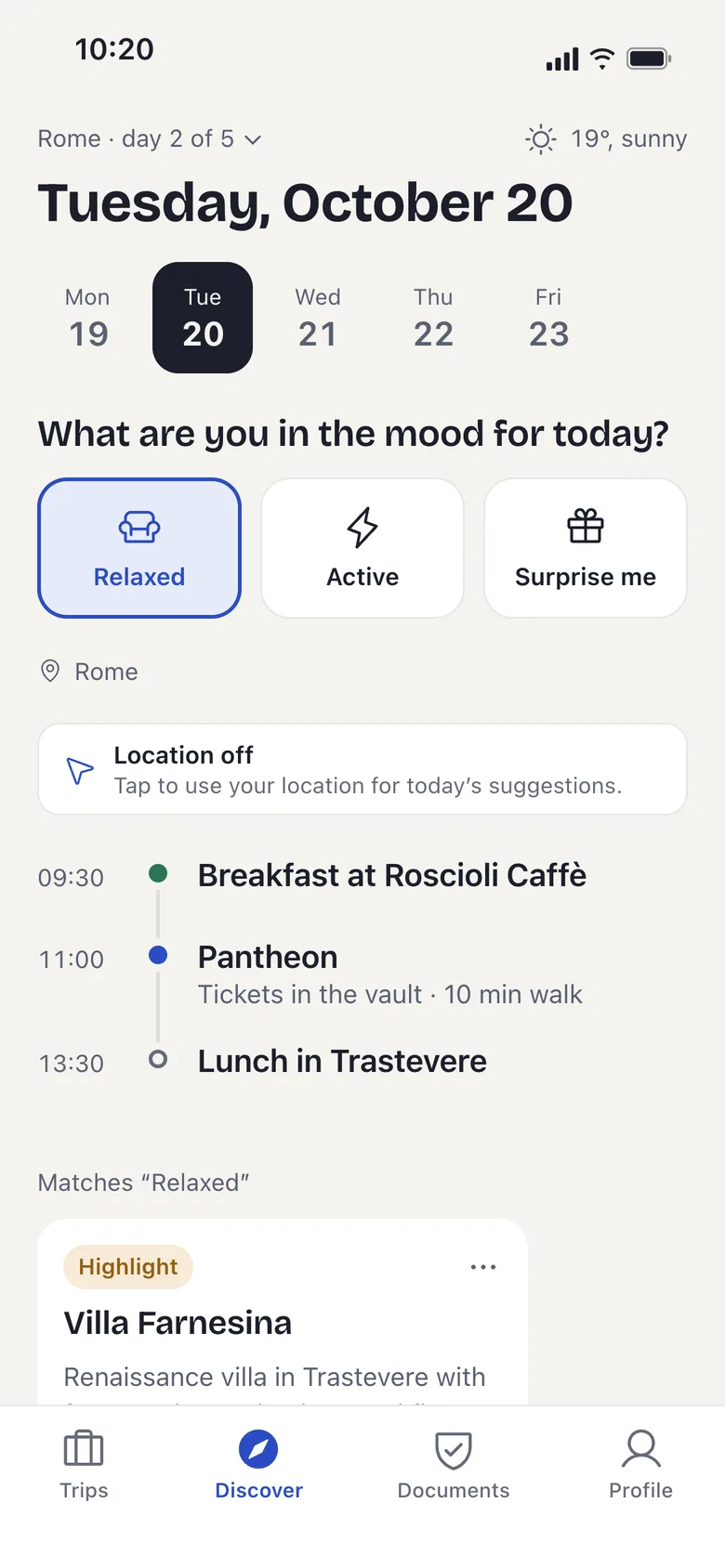
Example with test data -
Split costs without the maths
Scan the receipt or type the amount. Travault converts foreign currencies and shows who owes whom. Add travel companions without the app by name.
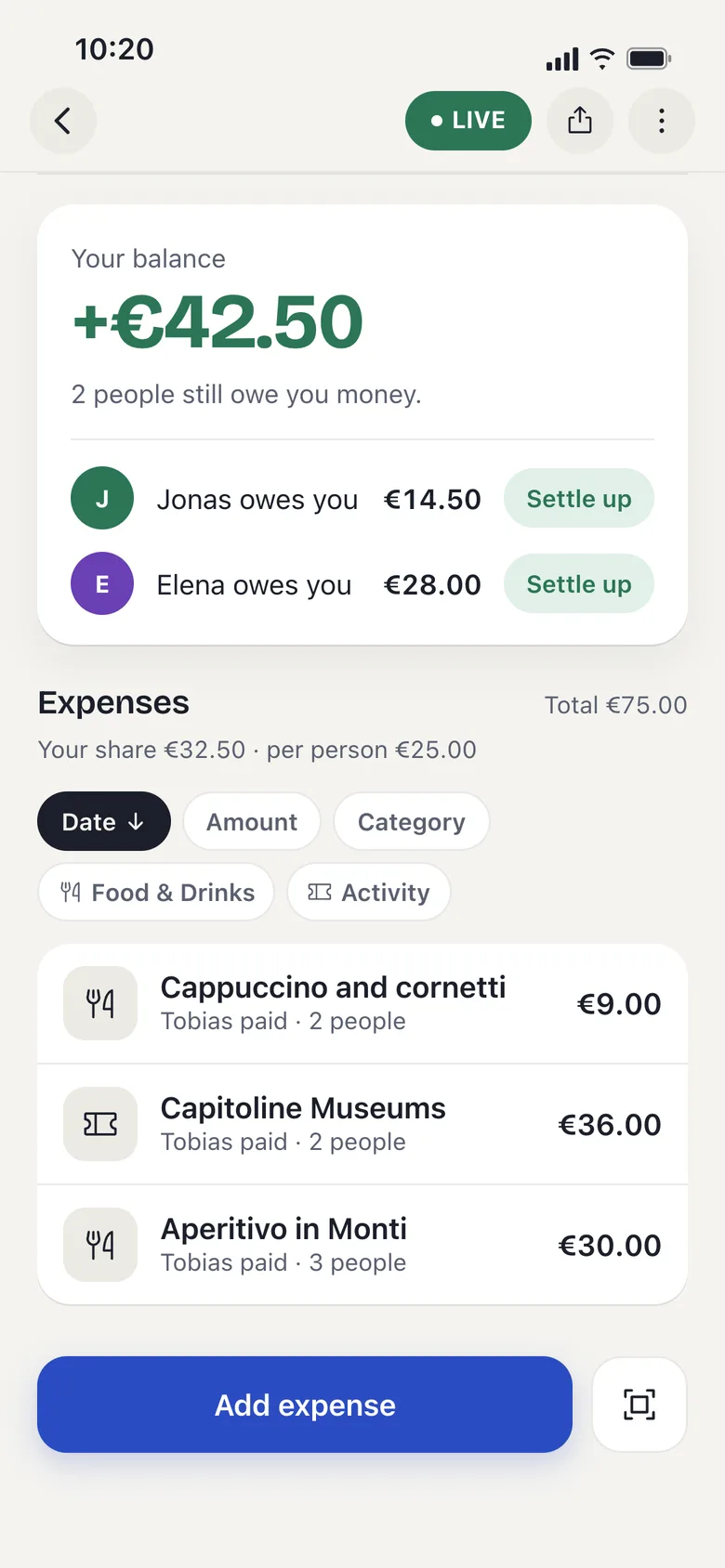
Example with test data -
A stamp for every trip
After the trip it gets its stamp, your world map fills up, and you share the recap as a card in your story.
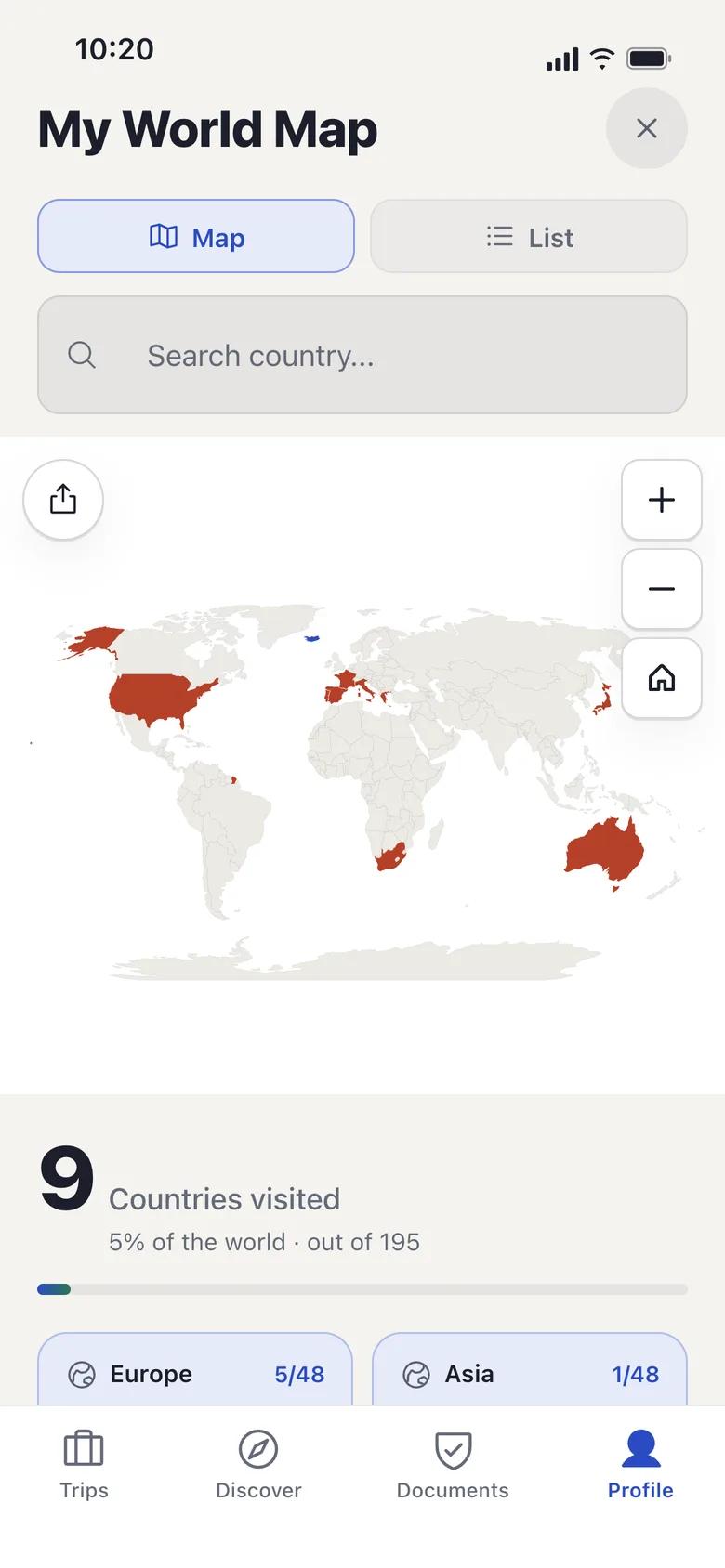
Example with test data


What leaves my iPhone?
Travault never uploads your vault documents: they stay encrypted on your iPhone.
- Vault documents encrypted on the iPhone (AES-256), readable only with your PIN or Face ID
- Account for trips and shared costs, stored on servers in Frankfurt
- No tracking, no advertising IDs
- Location only for suggestions, and only if you switch it on
For suggestions Travault sends destination, mood and weather, among other things, to Anthropic’s AI, and your location only if you switched it on. Your name and your vault documents stay out of it. Receipts and bookings you scan go to the same service for recognition, so ID documents belong in the vault. More in the privacy policy.
Tour suggestions may contain partner links to GetYourGuide; Travault then earns a commission at no extra cost to you.
What is free, what does Premium cost?
Travault is free with 2 active trips and 5 documents; Premium removes the limits on trips, documents and companions and gives you more suggestions and scans.
Free
- 2 active trips
- 5 documents in the vault
- Split costs with up to 3 people
- 3 suggestions and 2 scans a day
Premium
- Unlimited trips and documents
- Split costs with any number of companions
- 20 suggestions and 5 scans a day
Premium prices will be in the App Store at launch. Subscriptions renew automatically and can be cancelled in iOS Settings at least 24 hours before they end.
Ready for your next trip?
Free with 2 trips and 5 documents. Your documents stay encrypted on your iPhone.
Coming soon to the App Store
More about the app
Fact sheet
- What it does
- Travel app for iPhone: document vault, day plan with suggestions, shared costs, packing list, world map
- Platform
- iPhone, iOS 16 or later
- Price
- Free with limits; Premium as a subscription, the amounts will be in the App Store at launch
- Privacy
- Vault documents encrypted on the device (AES-256), never uploaded by Travault; account with servers in Frankfurt; no tracking
- Languages
- German, English
- Developer
- Tobias Paltz, Saarbrücken, Germany
- Category
- Travel
- Last updated
Passport photo in the Photos app or in the vault?
In the Photos app your passport sits among your other pictures; in the Travault vault it is encrypted and opens only with your PIN or Face ID.
| Photo in the Photos app | Travault vault | |
|---|---|---|
| Where it is | In the library, with iCloud Photos also in iCloud, hidden photos too | Encrypted on this iPhone, Travault uploads nothing |
| Who sees it | Anyone holding your unlocked iPhone, unless it is in the Hidden album, locked with Face ID, Touch ID or passcode from iOS 16 | Only with your PIN or Face ID |
| Order | Among holiday photos and screenshots | By trip and document type, with expiry date |
| Without a connection | Yes, if the original is downloaded | Yes |
What does the travel app Travault do?
Travault is your companion on the road: passport and tickets stay encrypted in a vault on your iPhone, the day plan suggests ideas for today, and you split costs with everyone on the trip.
How do the suggestions work?
You pick your mood, who you are with and what you want to do, and Travault suggests 4 things that fit the time of day and the weather; the suggestions are written by the language model Claude from Anthropic.
- Free: 3 suggestions a day, with Premium 20.
- At most one of the 4 suggestions is a bookable tour from GetYourGuide (partner link).
- Sent to the AI: destination, dates, mood, who you travel with and the weather, plus your travel profile from the quiz if you filled it in, and your location only if you switch it on. Not sent: your name, email address or account ID.
- Suggestions need an internet connection.
How safe are my documents?
Documents in the vault are encrypted with AES-256 on your iPhone, can only be read with your PIN or Face ID, and Travault uploads them to no server.
The documents are available offline. Scans of bookings and receipts are different: they are sent to the AI service for recognition, so ID documents belong in the vault.
Can I plan trips with others and split costs?
Yes: you invite fellow travellers with a code that is valid for 24 hours and works once, and you split expenses in 31 currencies, also with fellow travellers who have no account.
Free with up to 3 people, larger groups with Premium. Exchange rates come from a public rate service and are kept on the device.
What information is there on visas and countries?
Travault includes visa information for 199 passport countries and territories and facts on 199 countries and territories, both available offline; before you travel, check official sources.
Does Travault show the flight status?
Yes: from 24 hours before departure Travault shows gate, terminal, baggage belt, seat, delay and aircraft.
Trips and flights can also be added to your calendar.
How do I see which countries I have visited?
On the world map the countries of your past trips count as visited by themselves, you mark others by hand, and Travault shows what share of the 195 countries of the world you have seen; the map can be shared as a picture.
Do I need an account?
Yes, trips, shared plans and split costs need a free account with your email address; Travault still uploads your vault documents to no server.
Trips, plans and expenses are stored on servers in Frankfurt so you can share them. Details are in the privacy policy.
Is Travault available for Android?
No, Travault is available for iPhone only.
When will Travault be available?
Travault is in its test phase on TestFlight; a date for the App Store has not been set yet.
More questions
Does Travault make a packing list?
Yes, on request: a suggested packing list based on destination, weather and activities.
Can I delete my account?
Yes, directly in the app.
Does Travault use tracking?
No: no tracking, no analytics and no advertising IDs.
Who is behind Travault?
Travault is developed by Tobias Paltz in Saarbrücken, Germany.
Last updated: